The "Please confirm you are human" check
On this page
Sometimes 4Search shows a box titled Please confirm you are human. It asks you to press and hold a button for a few seconds. It is a precaution: the site cannot always tell a person from automated software, and when it is unsure it asks.
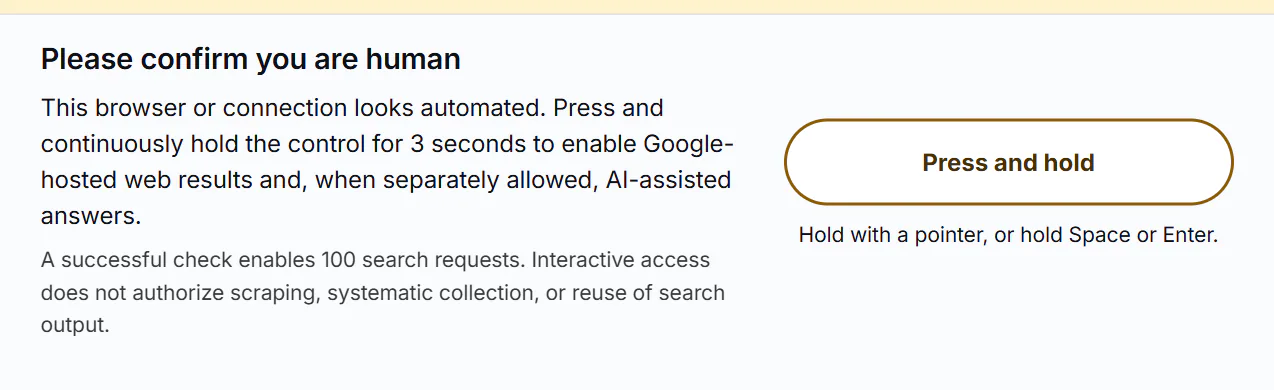
The check: press and hold the button until it completes.
- 1What the box is
- 2Press and hold until it completes
- 3Progress, in words
The box says that your browser or connection looks automated, and that the hold enables Google-hosted web results and, when you have separately allowed them, AI-assisted answers. You see it above the results on a search page, above the AI Overview, or in AI Mode. Until you complete it, the Google results and AI answers wait.
#Complete it
- Press and hold the Press and hold button. Use your mouse button, your finger on a touchscreen, or the Space or Enter key while the button has focus.
- Keep holding. The message under the button changes: it says it is starting the hold, then Keep holding…, then Hold complete. Checking…. The box states how many seconds the hold takes.
- When the button reads Human check complete, the page reloads on its own.
After it, a note on the page says Human check active and how many search requests remain before another hold is needed. The box says how many a successful check enables. It lets you search normally. It does not allow scraping, systematic collection or reuse of search output, and says so.
#If it does not finish
| The message says | Do this |
|---|---|
| Released too soon. Press and hold to try again. or The hold was interrupted. Press and hold to try again. | Press again and keep holding until the button completes. Do not move away from it. |
| The check expired. Reload the page and try again. | Reload the page. The check is valid for a short time. |
| The human check could not start. Try again. | Try again. If it repeats, reload. |
| The human check could not connect. Check the connection and try again. | Check your connection, then try again. |
The control needs JavaScript. If scripts are blocked for the site, the box cannot work. Turn off a script blocker for this site.
#Is this the only check?
No. Google's results can show their own box, Please verify that you are not a robot, with an I'm not a robot checkbox. That is Google's check, not 4Search's. See Google web results are blank or will not load.
#If you keep seeing it
Complete it, and use the site as usual. If it appears again and again for no reason you can see, or the button never works, tell us. Say which page, what browser and device you use, and whether you use a VPN, a work or school network or a privacy extension. See How to reach us.
#Common questions
Am I being accused of being a robot?
No. The check is a precaution when the site cannot tell. A real person completes it in a few seconds.
How long do I hold the button?
The box says: it names the number of seconds. Keep holding until the button reports that the check is complete.
Does the check collect anything about me?
The Cookie Policy says a successful check stores only the remaining allowance, an expiration time and a one-way digest of your browser's identification in your session on the site. See What 4Search collects, and what it does not.
Can I use the keyboard?
Yes. Focus the button and hold Space or Enter.